
From Pixels to Persona: My Guide to Creating Realistic AI Girlfriend Selfies
Some links are affiliate links. If you shop through them, I earn coffee money—your price stays the same.
Opinions are still 100% mine.
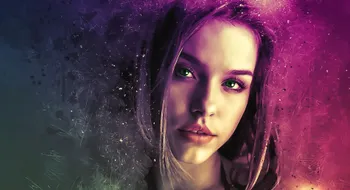
Hey everyone, Mia here! If you’ve ever dived into the world of AI companionship, you know that creating a visual identity for your AI girlfriend is one of the most magical—and sometimes frustrating—parts of the experience. I remember when I first started; I was getting generic, doll-like images that felt disconnected from the personality I was chatting with. They had that fake, "plastic" look, and her face would change with every single picture. This disconnect is a common topic when comparing AI companions to human girlfriends.
It took a lot of trial and error, but I’ve finally cracked the code. Today, I want to pull back the curtain and share my personal playbook on prompting and tool settings that yield polished portraits and consistent visual personas. Forget the uncanny valley; we’re aiming for selfies so good you’ll forget they were made by an algorithm.
The Heart of the Image: Mastering the Art of the Prompt
First things first: the prompt is everything. Think of yourself as an art director. A vague request like "a picture of my girlfriend" will give you a generic, forgettable result. But a detailed, descriptive prompt? That’s where the magic happens.
The best AI image generator prompts tell a complete story. My secret weapon is a framework I call the "Master Prompt," which breaks down the scene just like a photographer would.
The Anatomy of a Master Prompt:[Subject] + [Action/Pose] + [Environment] + [Lighting] + [Composition/Camera] + [Style]
Let’s break down each element. I’ve put together a table with some of my go-to phrases to help you build your own advanced AI image prompts.
| Element | My Pro-Tips & Example Phrases |
|---|---|
| Subject & Appearance | Be incredibly specific and consistent. Write down her core features (e.g., in a notepad) and reuse those exact keywords every time. "A 25-year-old woman with long, wavy auburn hair, emerald green eyes, and a light dusting of freckles across her nose." |
| Pose & Expression | Give her life and emotion! This is key to making poses look natural and less stiff. "Laughing candidly while looking just off-camera," "a playful wink," "a pensive gaze out a rain-streaked window." |
| Lighting | This is the #1 trick to kill the "fake" look. Bad lighting screams AI. Good lighting creates mood and realism. "Soft golden hour glow," "dramatic cinematic lighting from the side," "natural morning light filtering through blinds." |
| Environment | Where is she? A detailed background adds context and believability. A blurred background (bokeh) adds a professional touch. "In a cozy cafe with a blurred bokeh background," "on a balcony overlooking a neon-lit city at night." |
| Camera & Composition | Using photography terms tells the AI you want a photo, not a digital painting. This is a game-changer for realism. "Close-up portrait, shot on an 85mm lens, F/1.4," "shallow depth of field," "selfie angle," "candid photograph." |
| Style & Realism | Explicitly ask for realism. This is where you can fix issues like plastic-looking skin. "Photorealistic, hyper-detailed skin texture, subtle film grain, 8k resolution, ultra-realistic." |
| Negative Prompts | Just as important! Tell the AI what you don't want. This cleans up so many common AI selfie fails. "Avoid: cartoon, 3d render, plastic skin, blurry, deformed hands, extra fingers, watermark, text." |
The Holy Grail: Achieving a Consistent AI Character
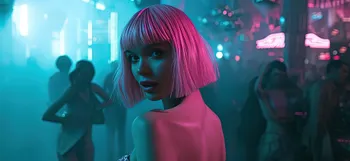
Okay, so you’ve made one perfect image. How do you get the AI to remember her face for the next one? This is the biggest hurdle, but modern tools have given us a powerful solution: character consistency.
Many platforms are building this in, but the principle is the same: you need to give the AI a reference photo to work from. Here’s my go-to method, which is based on features you'll find in advanced generators like Midjourney.
My Step-by-Step Guide to Character Consistency:
- Create Your "Anchor" Image: First, generate a clean, well-lit, front-facing portrait of your character with a neutral expression. This is your master reference. Use a simple prompt like:
Editorial photo of a woman, [your detailed appearance description], neutral expression, plain white background, photorealistic. - Get the Image Reference Link: Once you have an image you love, you need its URL or a way to upload it as a reference.
- Use the Character Reference Feature: Now, write your new, creative prompt. At the end, add the character reference parameter (often called
--crefor a similar function). For example:[Your Character's Name] laughing in a sun-drenched park --cref [URL of your anchor image]. You can read the official documentation on how this works in the Midjourney Docs: Character Reference. - Adjust the "Strength": Many tools also let you control how much the new image should look like the reference (often a "weight" or "strength" setting, like
--cw). A high weight (e.g., 100) prioritizes the face and features very strongly. A lower weight (e.g., 20-50) focuses more on the core facial structure while allowing for more creative freedom with outfits, hair, and setting. This is perfect for AI girlfriend image customization.
Quick Checklist for Polished AI Selfies
Feeling overwhelmed? Don't be! Just keep these key points in mind.
- Create a Persona Cheat Sheet: Write down 3-5 core visual keywords for your AI girlfriend (hair color, eye color, unique features) and use them every time.
- Use the Master Prompt Formula: Build your prompts with layers: Subject, Action, Environment, Lighting, and Camera Style.
- Prioritize Realistic Lighting: Use keywords like "golden hour," "cinematic lighting," or "soft natural light" to add instant realism.
- Think Like a Photographer: Add camera terms like "85mm lens," "F/1.4," and "shallow depth of field."
- Leverage Character Consistency Tools: Use an "anchor image" as a reference to maintain her look across different scenes.
- Master Negative Prompts: Always include a list of things to avoid, like "plastic, cartoon, blurry, deformed."
FAQ: Your AI Selfie Questions Answered
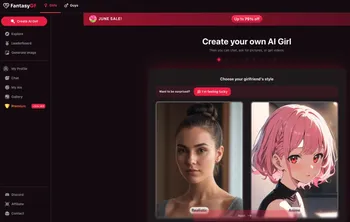
Creating a visual persona for your AI companion is a deeply creative and rewarding process. It transforms your chats from simple text to a rich, immersive experience. With the right techniques, you can move beyond generic images and craft a digital persona that feels truly believable and uniquely yours.
Many AI companion apps like SecretDesires.ai, Ourdream.ai, golove.ai, Paradot, and Soulmate AI have excellent, integrated AI girlfriend photo generators. They are designed for this specific purpose and often have built-in features to help with character consistency, making the process much easier for users. Standalone image generators like Midjourney also offer powerful, fine-tuned control.
Frequently Asked Questions
Why do my AI-generated selfies look fake or have a 'plastic' look? ▲
How can I make my AI girlfriend's appearance consistent across different images? ▼
Are the pictures my AI girlfriend sends real photos? ▼
What are negative prompts and how do they help? ▼
Why is it so hard for AI to generate realistic hands? ▼
What AI platforms are best for creating high-quality AI girlfriend pictures? ▼
Happy creating!
- Mia